Deploy and Scale Object Storage on Kubernetes with the RustFS Operator
Standing up object storage on Kubernetes by hand means writing a small mountain of StatefulSets, PVCs, and Services — and scaling it later means touching all of them again. The RustFS Operator makes the whole thing declarative: you describe the cluster you want in a Tenant custom resource, and the Operator handles the orchestration, credential injection, status tracking, and expansion. It ships with a web console for day-to-day operations.
This walkthrough is based on rustfs-operator/rustfs-tenant chart v0.0.8 and covers:
- Installing the Operator and logging in to its web console;
- Creating Tenants two ways — the Web UI and the Tenant Helm chart;
- Scaling a Tenant by adding storage pools.
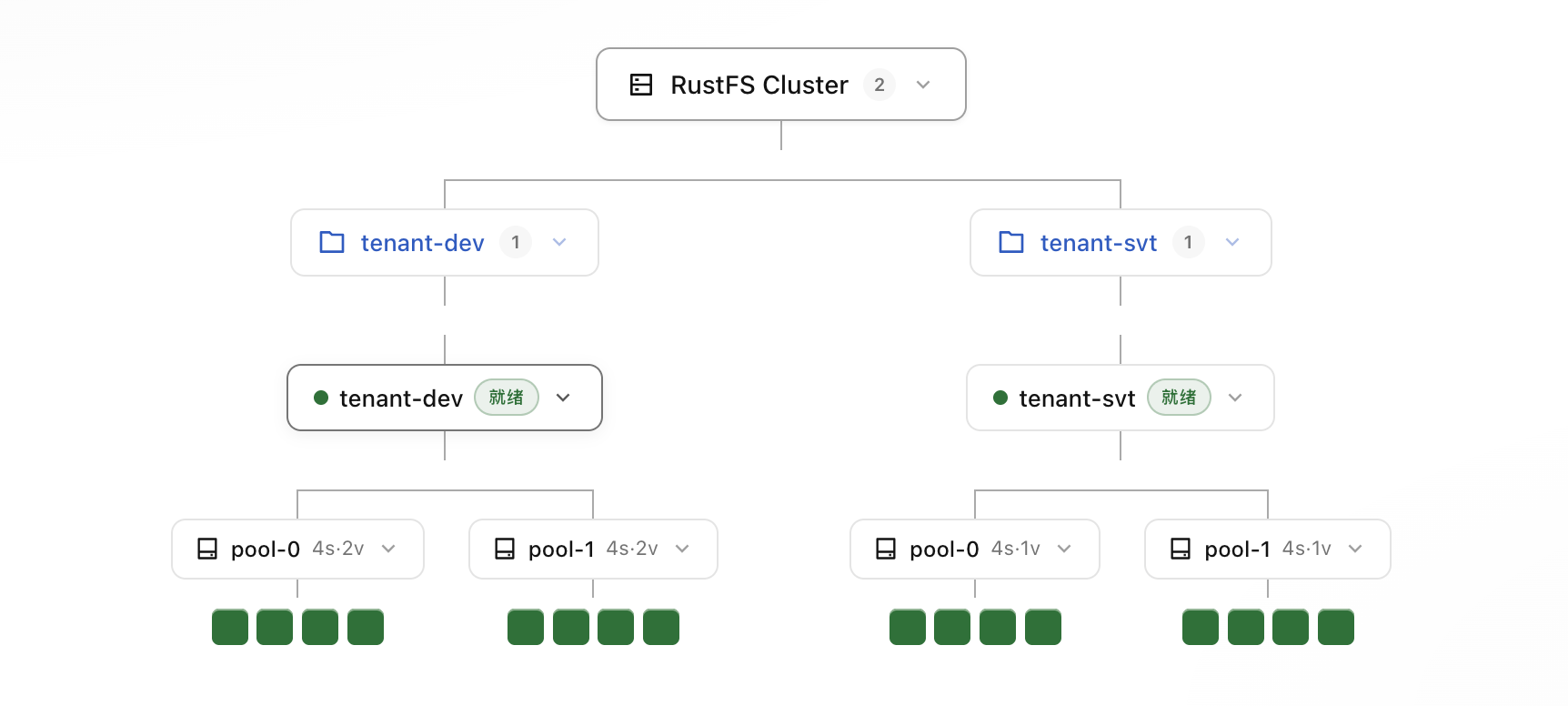
Here is the big picture first — everything below happens somewhere in this diagram:
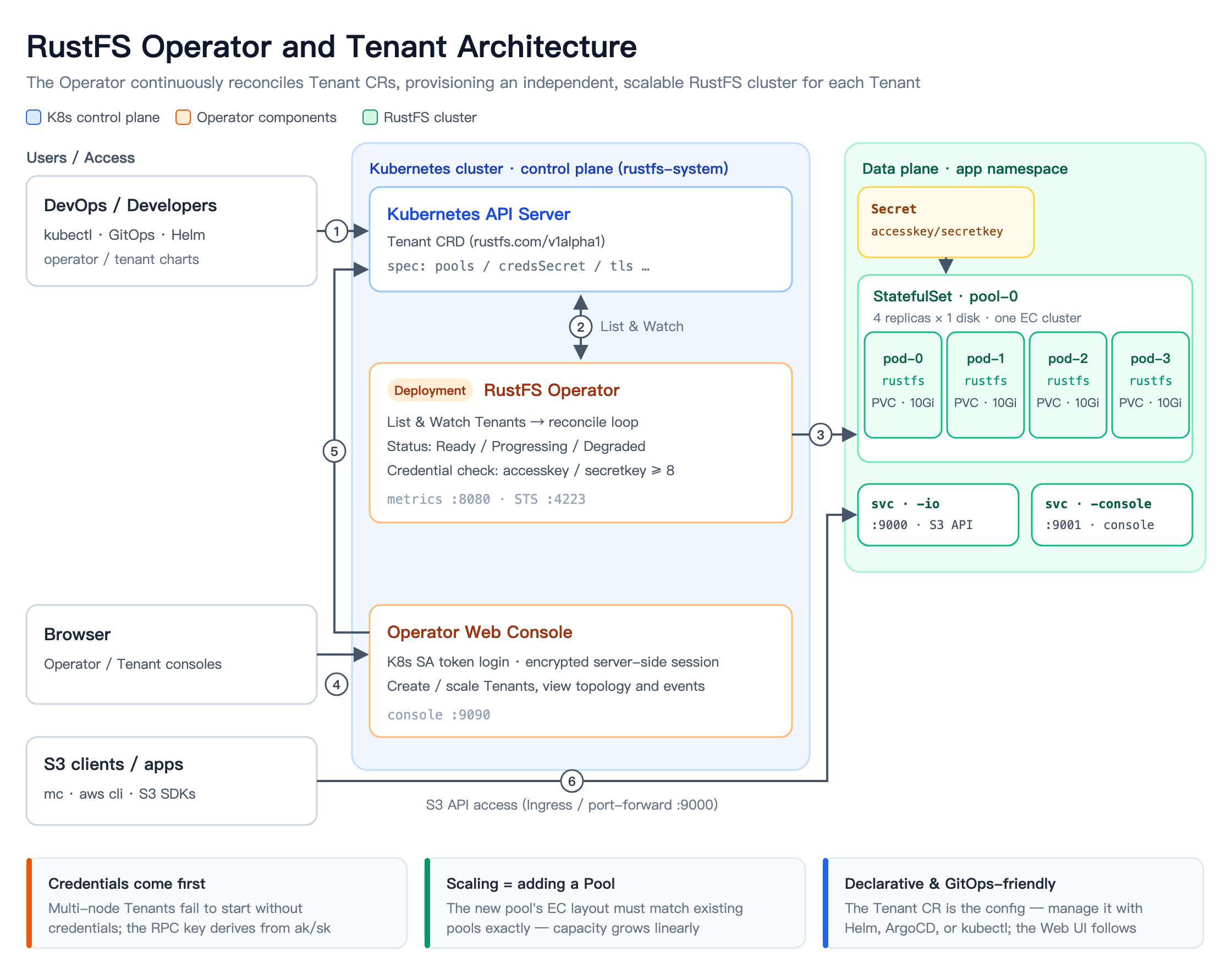
The mental model in one sentence: one Tenant is one independent RustFS cluster. The Operator watches Tenant CRs and, for each pool, provisions the matching StatefulSet, PVCs, and Services. A Tenant can contain multiple pools; all pools together form that single RustFS cluster, exposed through one S3 endpoint (:9000) and one console (:9001).
Installing the Operator
The Operator ships as a Helm chart.
Add the Helm repository
helm repo add operator https://operator.rustfs.com
helm repo update
This repository hosts both the
rustfs-operatorandrustfs-tenantcharts. They are also published on ArtifactHub, if you prefer to browse there.
Install the Operator
helm install operator operator/rustfs-operator \
  --version 0.0.8 \
  --namespace rustfs-system --create-namespace
See the Operator chart values for the full configuration surface.
Once the install finishes, you should see these resources in the rustfs-system namespace:
kubectl -n rustfs-system get pods,svc
NAME                                                    READY   STATUS    RESTARTS   AGE
pod/operator-rustfs-operator-757f7dcc9b-s6rq8           1/1     Running   0          2d2h
pod/operator-rustfs-operator-console-54fb7d5fbd-sfbxs   1/1     Running   0          2d2h

NAME                                       TYPE        CLUSTER-IP     EXTERNAL-IP   PORT(S)    AGE
service/operator-rustfs-operator-console   ClusterIP   10.0.209.104   <none>        9090/TCP   6d19h
service/operator-rustfs-operator-metrics   ClusterIP   10.0.124.119   <none>        8080/TCP   6d19h
service/operator-rustfs-operator-sts       ClusterIP   10.0.222.192   <none>        4223/TCP   6d19h
What each Service is for:
| Service | Port | Purpose |
|---|---|---|
*-console | 9090 | Operator management console (Web UI and API) |
*-metrics | 8080 | Prometheus metrics |
*-sts | 4223 | STS temporary-credential service (TLS) |
Logging in to the Operator console
For production, expose the console through an Ingress. For local testing, a port-forward works fine — note the Service port is 9090:
kubectl -n rustfs-system port-forward svc/operator-rustfs-operator-console 9090:9090
The console authenticates with a Kubernetes ServiceAccount token, which you create as prompted by the login page:
kubectl -n rustfs-system create token operator-rustfs-operator-console --duration=24h
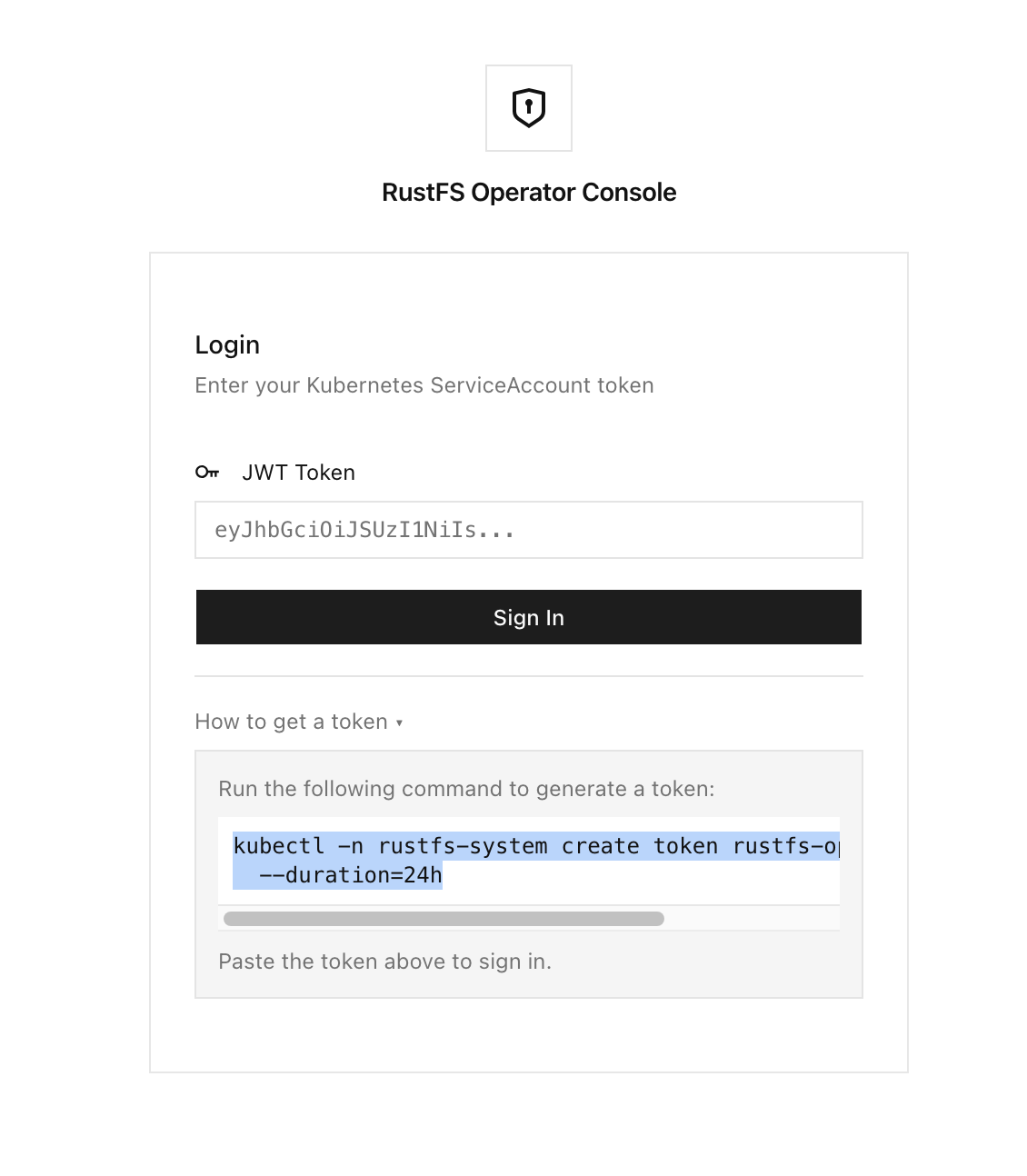
One security detail worth knowing: after you submit the token, the Console stores it encrypted, in process. The browser cookie only carries a random session ID — the raw token never lives in the browser. Sessions expire after 12 hours and you log in again.
Creating a Tenant
Every Tenant is an independent RustFS cluster; the number of nodes and disks is fully configurable. A Tenant can contain multiple pools, and all of its pools together form that one cluster. There are two supported ways to create a Tenant: the Operator Web UI and the Tenant Helm chart.
Prerequisite: create the credentials Secret (required)
Whichever path you take, create the credentials Secret first:
kubectl -n TENANT_NAMESPACE create secret generic TENANT_SECRET_NAME \
  --from-literal=accesskey='rustfs@test' \
  --from-literal=secretkey='rustfs@test'
Replace
TENANT_NAMESPACEandTENANT_SECRET_NAMEas you see fit. Both values must be at least 8 characters.
Why "required"? In a multi-node Tenant, RustFS nodes communicate over an authenticated RPC channel, and the key for that channel is derived from the access/secret key pair. Without credentials, a single-node dev instance still runs, but a multi-node instance fails at startup with endpoints include remote nodes but RPC authentication secret is not configured. This is the most common pitfall in practice.
Option 1: the Operator Web UI
In the Operator web console, open Tenants and click Create Tenant on the far right:
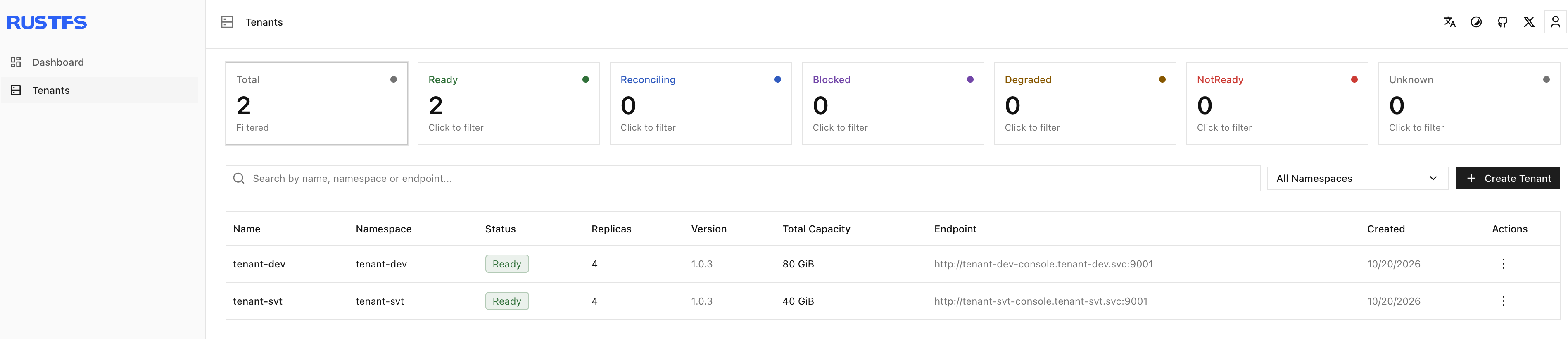
Fill in the essentials:
- Tenant name
- Namespace for the Tenant
- RustFS image
- Credentials (the Secret you created above)
- Pool layout: number of servers and disks per server (these map to Pods and PVCs)
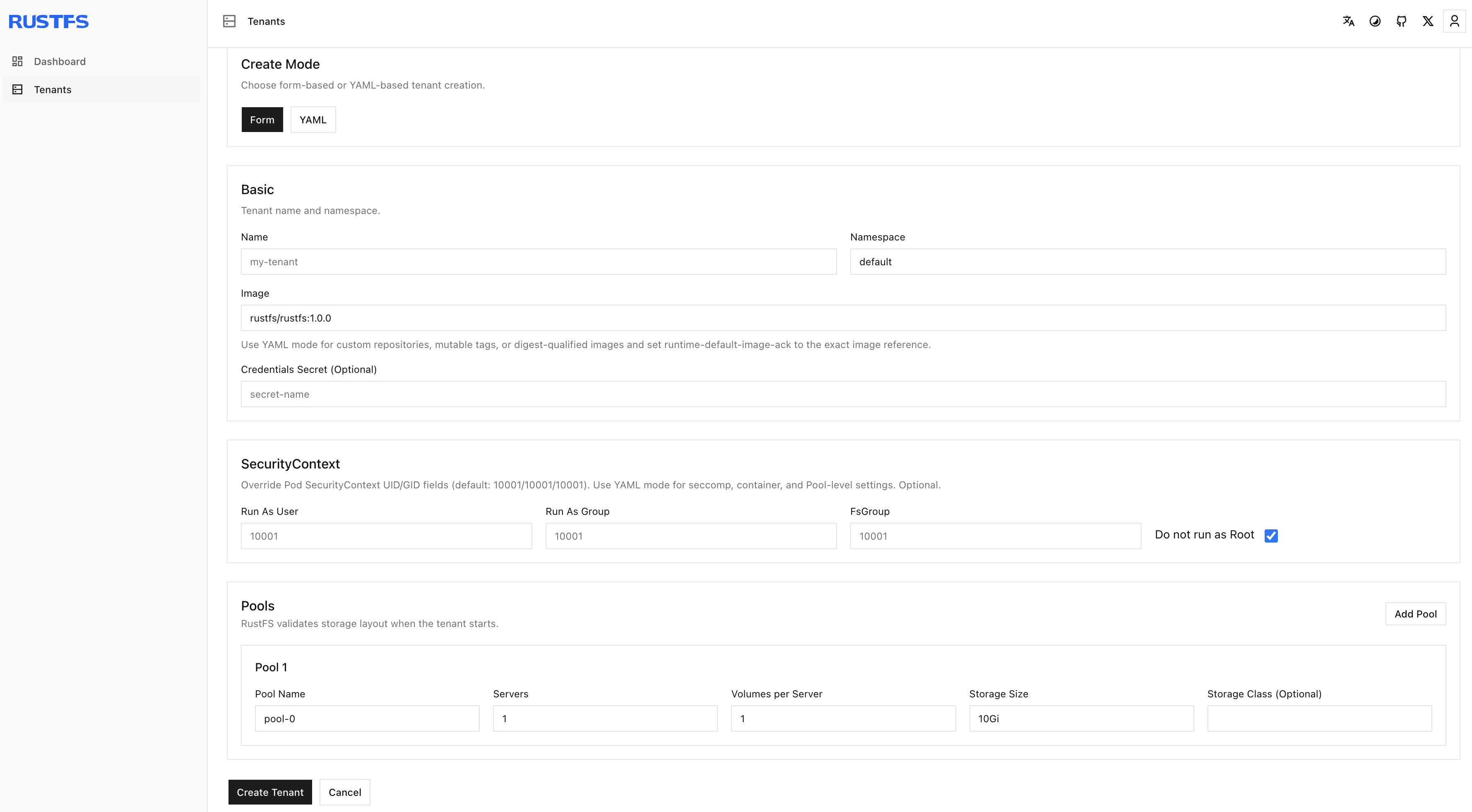
Click Create Tenant. Under the hood, the console writes a Tenant CR and the Operator starts reconciling it — creating the StatefulSet, PVCs, and Services. Once it's ready:
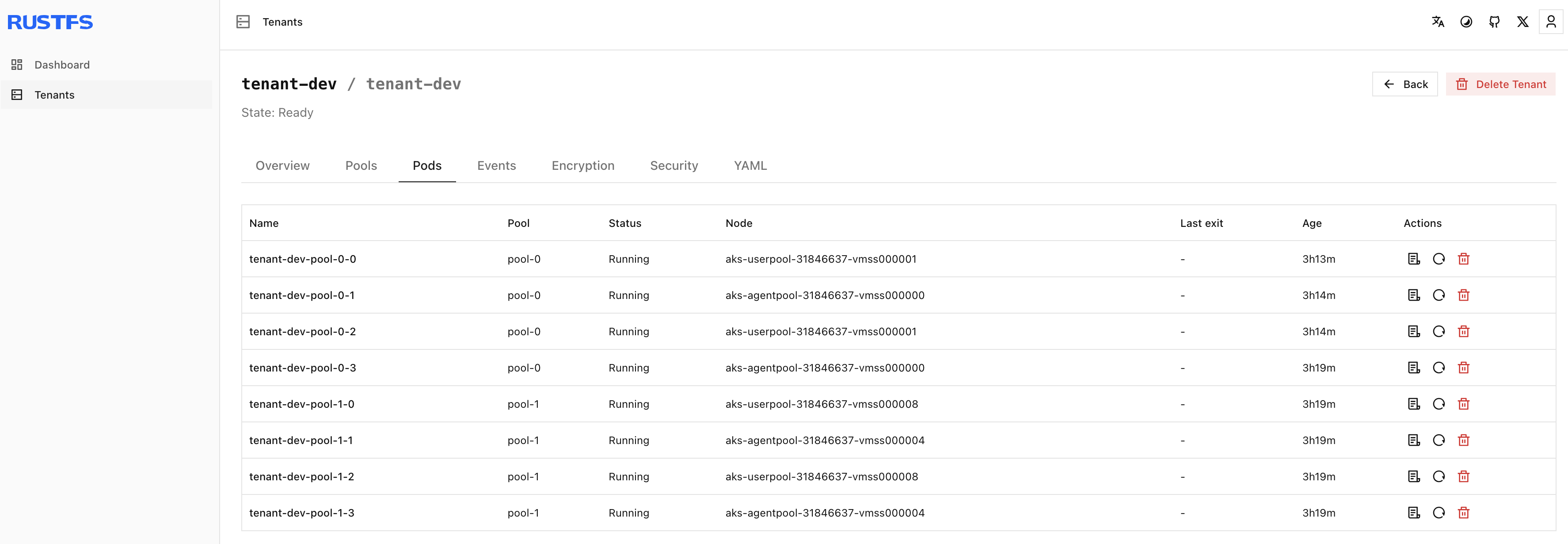
Option 2: the Tenant Helm chart
If you prefer a GitOps workflow, declare the Tenant with the dedicated Tenant Helm chart. It lives in the same Helm repository as the Operator chart (and on ArtifactHub), so it works out of the box:
helm search repo operator -l | grep tenant
operator/rustfs-tenant  	0.0.8        	            	A RustFS Tenant with optional S3 and Console in...
First, describe the tenant's node and disk layout. The following creates a 4-node cluster with one disk per node:
tenant:
  spec:
    credsSecret:
      name: tenant-svt-credentials
    pools:
      - name: pool-0
        servers: 4
        persistence:
          volumesPerServer: 1
          volumeClaimTemplate:
            accessModes: [ReadWriteOnce]
            resources:
              requests:
                storage: 10Gi
Save it as values-tenant.yaml and run:
helm install tenant-svt operator/rustfs-tenant \
  -n tenant-svt --create-namespace \
  -f values-tenant.yaml
Wait for the pods to come up:
kubectl -n tenant-svt get pods -w
NAME                  READY   STATUS    RESTARTS   AGE
tenant-svt-pool-0-0   1/1     Running   0          32s
tenant-svt-pool-0-1   1/1     Running   0          63s
tenant-svt-pool-0-2   1/1     Running   0          92s
tenant-svt-pool-0-3   1/1     Running   0          2m9s
Tip: PVCs may show
Pendingearly on, withWaitForFirstConsumerevents. That's the storage class waiting for its first consumer — the PVCs bind as soon as the pods are scheduled. Nothing to fix.
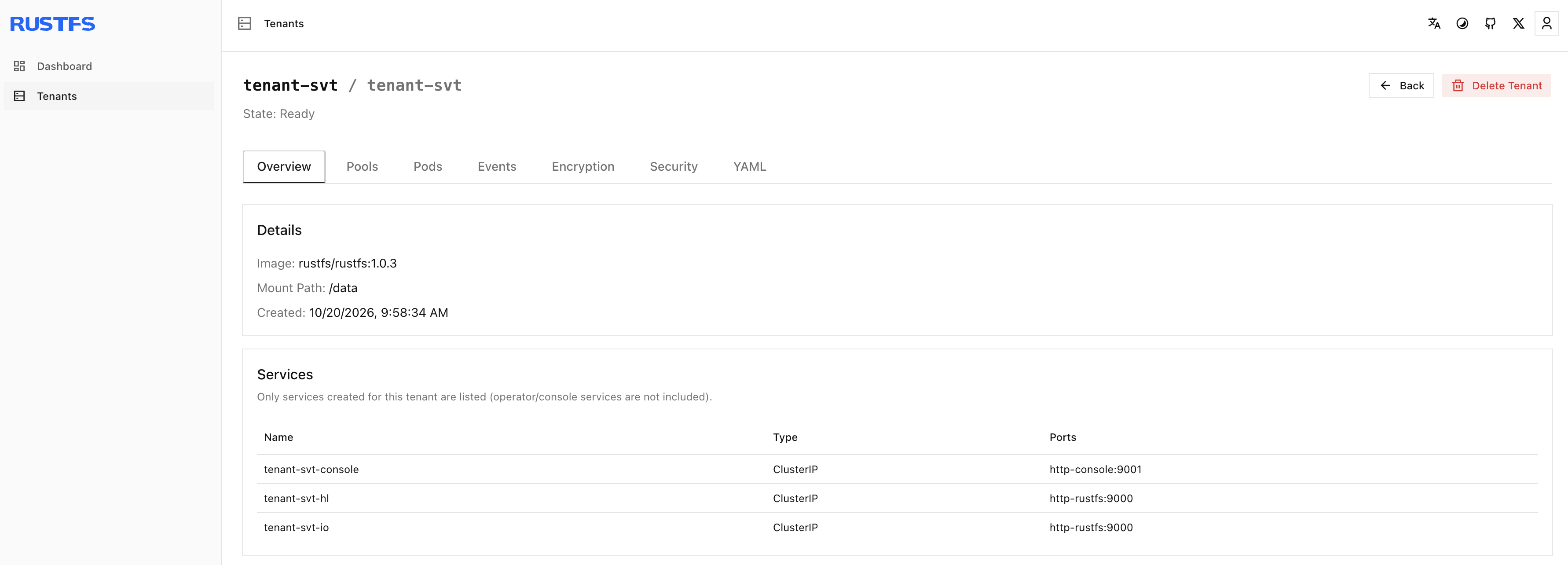
The tenant-svt tenant now shows up in the Operator web console:
Accessing the Tenant
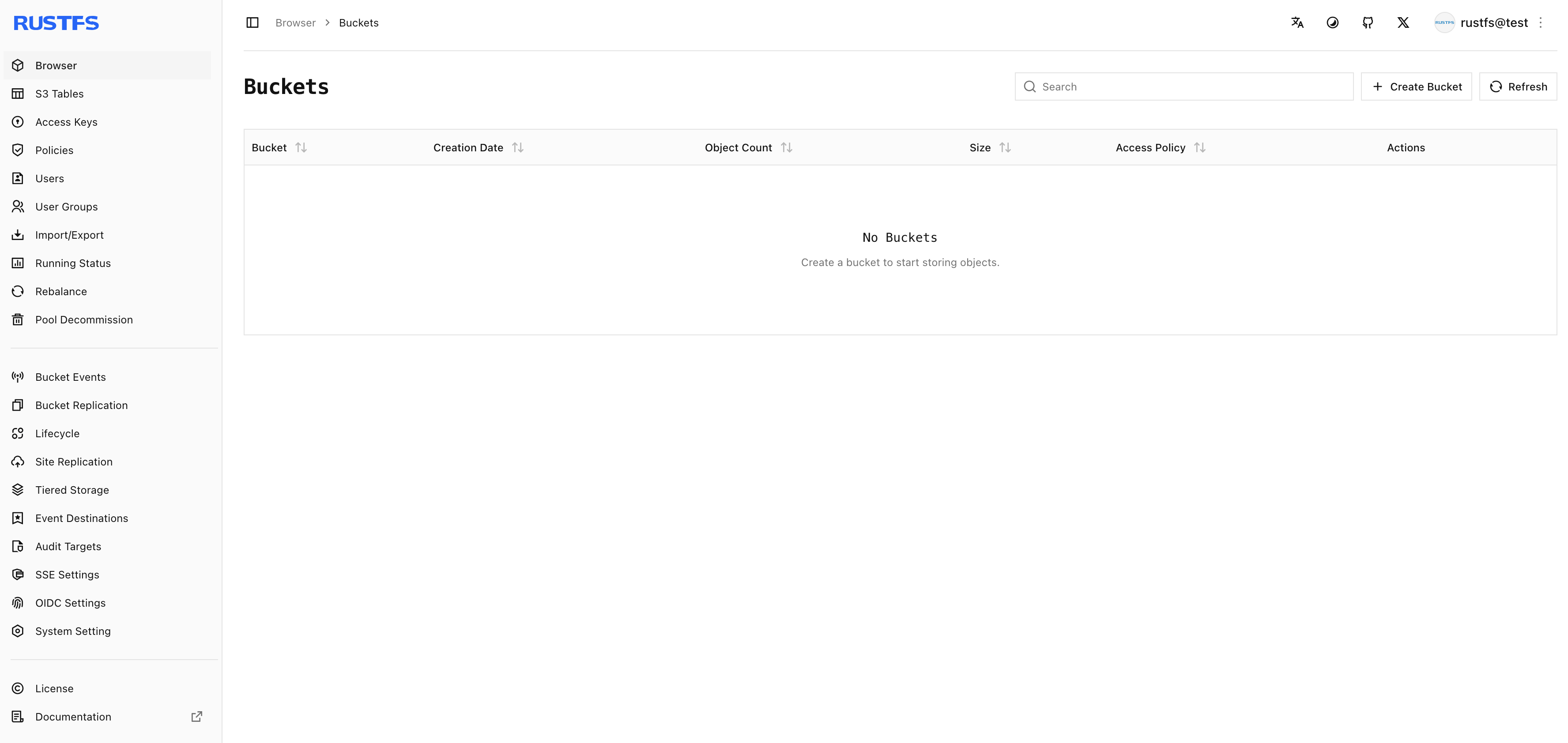
A Tenant exposes two endpoints: the S3 API (:9000) and the RustFS console (:9001). Both can be published through Ingress or Gateway API — see the Tenant chart docs for the configuration. Once set up, log in to the RustFS instance:
Scaling Out
Adding pools scales a Tenant's capacity linearly, with one hard constraint: the new pool's EC/striping layout must exactly match the existing pools.
You can add a pool from the Operator Web UI, or through the Tenant Helm chart.
Option 1: the Operator Web UI
Find the Tenant you want to expand — say tenant-dev. Click + Add Pool on the right, enter the new pool's name, server count, and disks per server, and confirm.
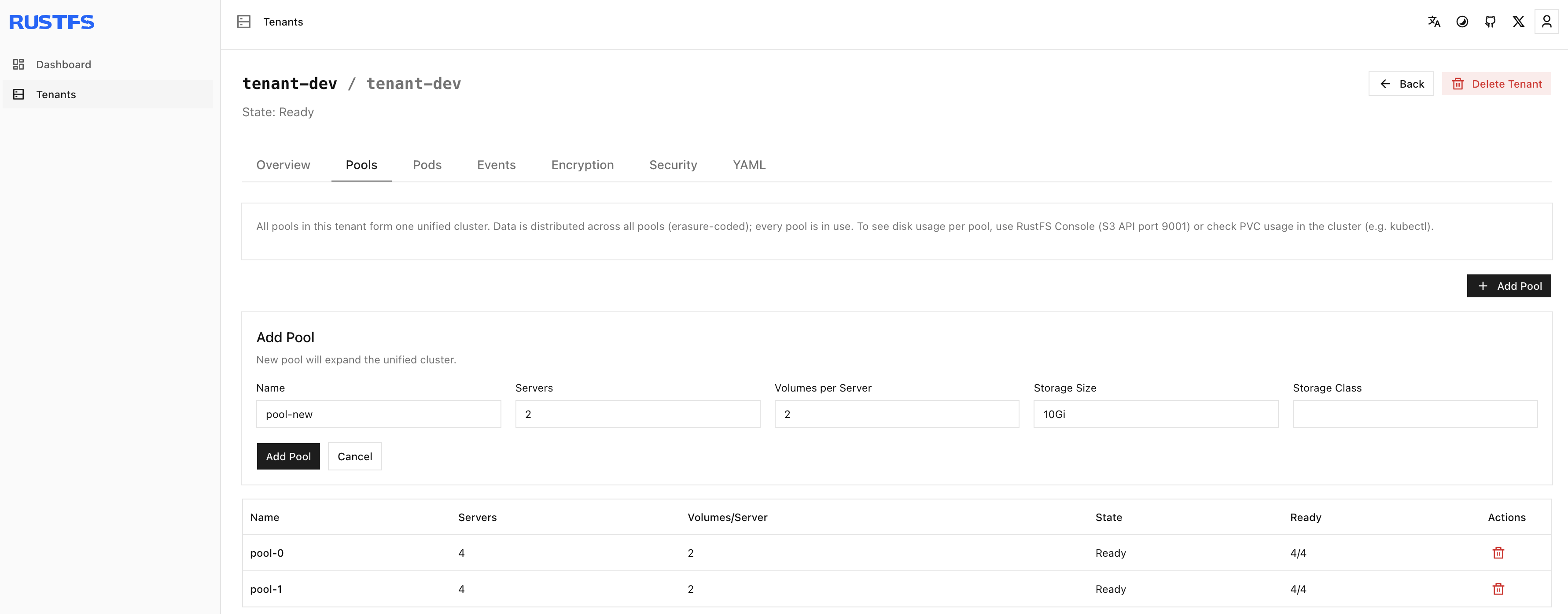
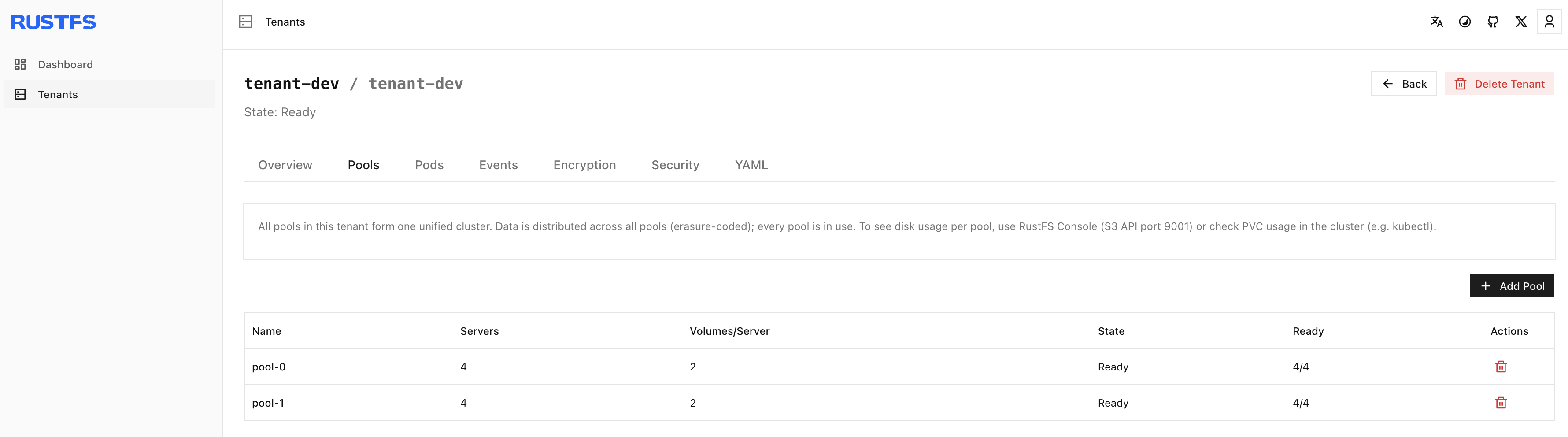
When the expansion completes, tenant-dev has two pools, each a 4x2 layout:
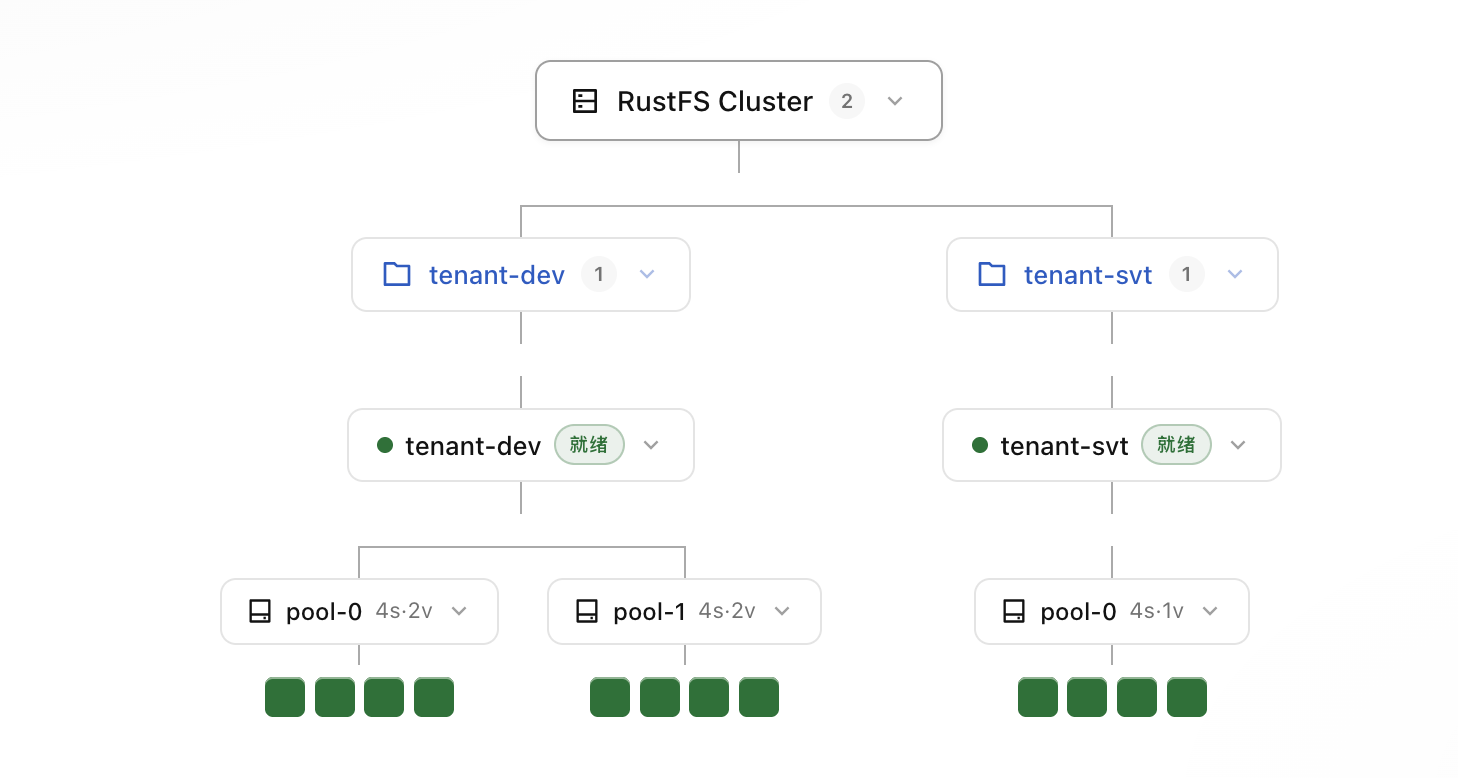
The Operator dashboard gives you a clearer view:
Option 2: the Tenant Helm chart
This is where declarative management pays off: append the second pool to the values file and upgrade.
tenant:
  spec:
    credsSecret:
      name: tenant-svt-credentials
    pools:
      - name: pool-0
        servers: 4
        persistence:
          volumesPerServer: 1
          volumeClaimTemplate:
            accessModes: [ReadWriteOnce]
            resources:
              requests:
                storage: 10Gi
      - name: pool-1
        servers: 4
        persistence:
          volumesPerServer: 1
          volumeClaimTemplate:
            accessModes: [ReadWriteOnce]
            resources:
              requests:
                storage: 10Gi
helm upgrade tenant-svt operator/rustfs-tenant \
  -n tenant-svt \
  -f values-tenant.yaml
Wait for the pods:
kubectl -n tenant-svt get pods
NAME                  READY   STATUS    RESTARTS   AGE
tenant-svt-pool-0-0   1/1     Running   0          3m29s
tenant-svt-pool-0-1   1/1     Running   0          4m1s
tenant-svt-pool-0-2   1/1     Running   0          4m40s
tenant-svt-pool-0-3   1/1     Running   0          7m22s
tenant-svt-pool-1-0   1/1     Running   0          7m24s
tenant-svt-pool-1-1   1/1     Running   0          7m23s
tenant-svt-pool-1-2   1/1     Running   0          7m23s
tenant-svt-pool-1-3   1/1     Running   0          7m23s
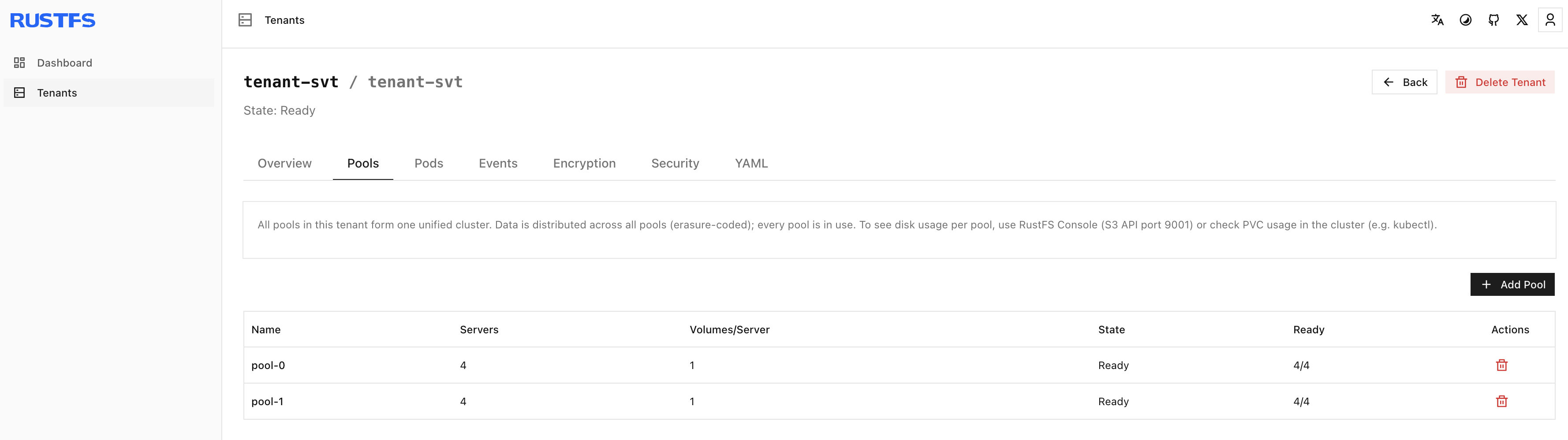
The new pool shows up on the tenant-svt page in the Operator web console:
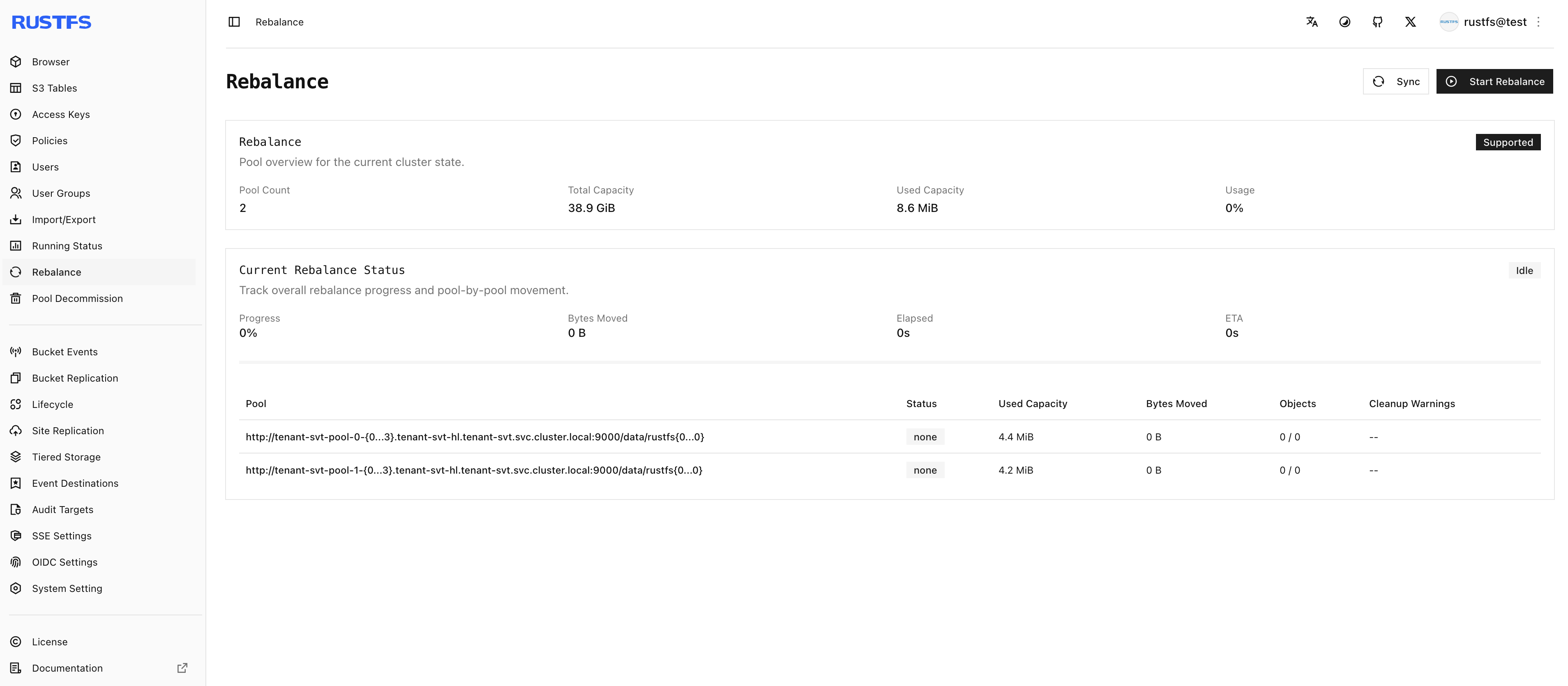
And in the pool management page of the RustFS instance itself:
Wrapping Up
- One Tenant is one independent RustFS cluster. The Operator manages everything declaratively through the Tenant CR — pool count, servers, and disks are all just spec fields.
- The credentials Secret is a hard prerequisite for multi-node Tenants. It serves double duty: login credentials and the source for the internode RPC authentication key.
- Scaling is adding a pool. Keep the new pool's EC layout identical to the existing ones and capacity grows linearly. The Web UI and the Helm chart are two front doors to the same operation — pick the Web UI for visual operations, the chart for GitOps pipelines.
Links:
- RustFS Operator: https://github.com/rustfs/operator
- Helm repository: https://operator.rustfs.com
- ArtifactHub: https://artifacthub.io/packages/search?repo=operator