Step-by-Step Tutorial: How to Install RustFS with RPM/DEB Packages

RustFS has shipped rpm/deb packages since 1.0.0-rc.1, so you can install RustFS with a single dpkg command. This guide walks through installing a single-node, multi-disk RustFS instance on Ubuntu 24.04 using the RPM/DEB packages.
Prepare the data disks
RustFS recommends the XFS filesystem, so format your data disks as XFS first. This example uses /dev/sda as the data disk.
- Format the disk as XFS
sudo mkfs.xfs /dev/sda
- Create the mount point
sudo mkdir -p /data/rustfs/mnmd
Note: RustFS runs as the
rustfsuser, so the data directory must be owned byrustfs.
sudo chown -R rustfs:rustfs /data/rustfs/mnmd
- Mount the disk (effective immediately)
sudo mount /dev/sda /data/rustfs/mnmd
- Add the mount to
/etc/fstab
# Generate the disk UUID
blkid /dev/sda

# Write the UUID into /etc/fstab
vim /etc/fstab
UUID=your-uuid  /data/rustfs/mnmd  xfs  defaults  0  0
Repeat this process for every data disk.
Install RustFS
RPM/DEB packages are available for x86_64 and arm64. Download the package that matches your server. For example, on Ubuntu 24.04, download the DEB package:
curl -L -o rustfs.deb https://dl.rustfs.com/artifacts/rustfs/packages/release/rustfs_1.0.0~rc.1_amd64.deb
Install it:
dpkg -i rustfs.deb
Selecting previously unselected package rustfs.
(Reading database ... 69397 files and directories currently installed.)
Preparing to unpack rustfs.deb ...
Unpacking rustfs (1.0.0~rc.1) ...
Setting up rustfs (1.0.0~rc.1) ...
RustFS installed. Configure /etc/default/rustfs then: systemctl start rustfs
Configure the environment variables. RustFS reads its configuration from /etc/default/rustfs by default. Write the following into that file.
RUSTFS_ACCESS_KEY=rustfs@test
RUSTFS_SECRET_KEY=rustfs@test
RUSTFS_VOLUMES="/data/rustfs{1...4}/mnmd"
RUSTFS_ADDRESS=":9000"
RUSTFS_CONSOLE_ADDRESS=":9001"
RUSTFS_CONSOLE_ENABLE=true
RUSTFS_OBS_LOGGER_LEVEL=error
RUSTFS_OBS_LOG_DIRECTORY="/var/log/rustfs/"
Start the RustFS service:
systemctl start rustfs
Check the service status:
systemctl status rustfs
● rustfs.service - RustFS Object Storage Server
     Loaded: loaded (/usr/lib/systemd/system/rustfs.service; disabled; pres>
    Drop-In: /etc/systemd/system/rustfs.service.d
             └─override.conf
     Active: active (running) since Tue 2026-08-18 13:29:36 UTC; 4s ago
       Docs: https://rustfs.com/docs/
   Main PID: 29351 (rustfs)
     Status: "Running"
      Tasks: 55
     Memory: 136.5M (peak: 138.5M)
        CPU: 175ms
     CGroup: /system.slice/rustfs.service
             └─29351 /usr/bin/rustfs server
Verify the installation
Verify in the Console
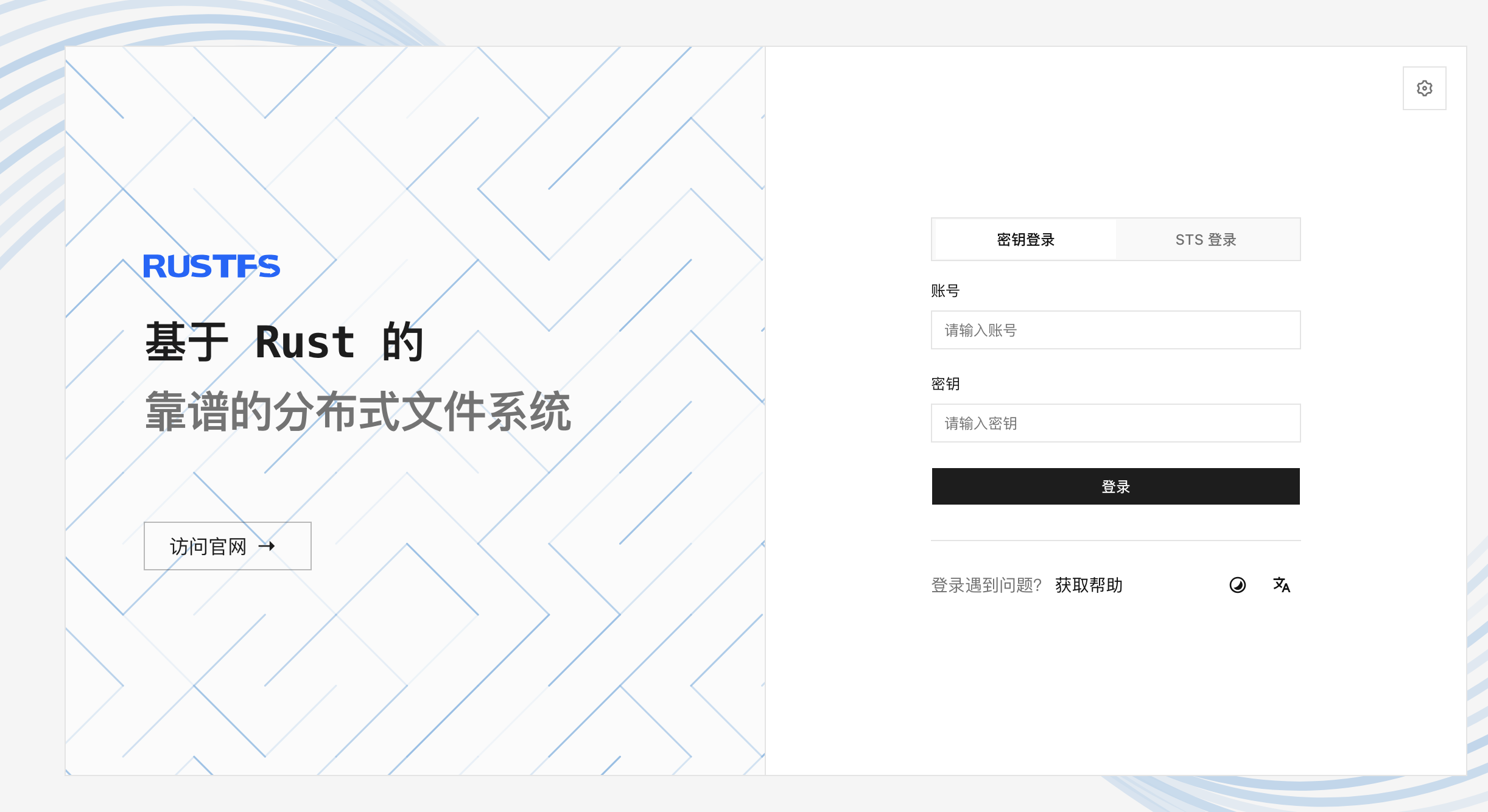
Open http://ip:9001 and sign in with rustfs@test/rustfs@test:
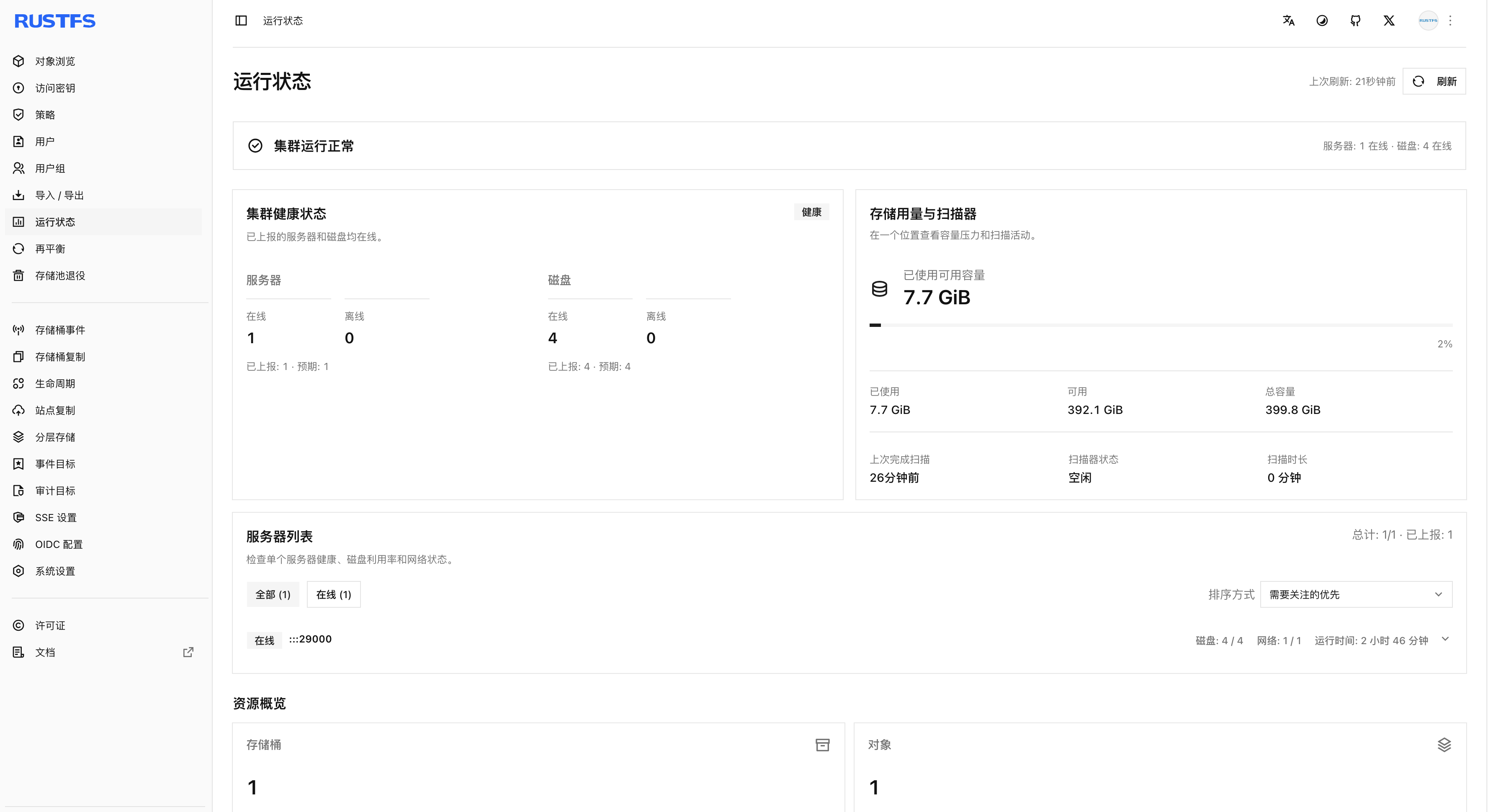
Confirm the cluster information on the status page:
Verify with the rc CLI
rc is the RustFS client CLI. You can use it to manage objects and buckets, storage pools, and cluster status.
Install rc
Download the package that matches your operating system. For example, on Ubuntu 24.04, install the latest version of rc:
wget https://github.com/rustfs/cli/releases/download/v0.1.31/rustfs-cli-linux-amd64-gnu-v0.1.31.tar.gz
Extract and install it:
tar -zxvf rustfs-cli-linux-amd64-gnu-v0.1.31.tar.gz
chmod +x rc
cp rc /usr/local/bin
Confirm the installation:
rc --version
rc 0.1.31
Use rc
- Set an alias
rc alias set rustfs-deb http://10.0.0.14:29000 rustfs@test rustfs@test
✓ Alias 'rustfs-deb' configured successfully.
- Create a bucket
rc mb rustfs-deb/deb-demo
✓ Bucket 'rustfs-deb/deb-demo' created successfully.
- List buckets
rc ls rustfs-deb
[2026-08-18 13:39:40]         0B deb-demo/
- Upload an object
# Write a file
echo "Hello RustFS" > 1.txt

# Upload the file to the bucket
rc cp 1.txt rustfs-deb/deb-demo
1.txt -> rustfs-deb/deb-demo/1.txt (13 B)

# List the object
rc ls rustfs-deb/deb-demo
[2026-08-18 13:41:08]       13 B 1.txt
Upgrade RustFS
Before you start
- Confirm the installed version
rustfs --version
rustfs 1.0.0-rc.1
build time   : 2026-08-08 08:24:07 +00:00
build profile: release
build os     : linux-x86_64
rust version : rustc 1.97.1 (8bab26f4f 2026-07-14)
rust channel : stable-x86_64-unknown-linux-gnu
git branch   :
git commit   : 778f1dfa2155cbbc61ad54e6896de9e29d2c4d8d
git tag      : 1.0.0-rc.1
git status   :
Or:
dpkg -l | grep -i rustfs
ii  rustfs                                   1.0.0~rc.1                                       amd64        High-performance distributed object storage
- Confirm the target artifact
Make sure the target version exists on the RustFS download page before upgrading.
Upgrade
Download the package for the target version. Still using Ubuntu 24.04 as the example, download the DEB package:
curl -L -o rustfs.deb https://dl.rustfs.com/artifacts/rustfs/packages/release/rustfs_1.0.0~rc.2_amd64.deb
Run the upgrade:
dpkg -i rustfs.deb
Verify the upgrade result:
rustfs 1.0.0-rc.2
build time   : 2026-08-14 19:55:50 +00:00
build profile: release
build os     : linux-x86_64
rust version : rustc 1.97.1 (8bab26f4f 2026-07-14)
rust channel : stable-x86_64-unknown-linux-gnu
git branch   :
git commit   : e9f53180273b32a9c2b0aa8b5a384047bc7e875c
git tag      : 1.0.0-rc.2
git status   :
Or:
dpkg -l | grep -i rustfs
ii  rustfs                                   1.0.0~rc.2                                       amd64        High-performance distributed object storage
The upgrade is complete.
Summary
RustFS offers multiple installation methods — source code, binaries, and containers — so you can choose the one that fits your scenario. RPM/DEB packages provide a familiar, convenient way to install and manage RustFS.