Veeam with RustFS: S3 Backup and Restore Validation
Backup repositories need to accept sustained writes and make recovery data available when it matters. Veeam Backup & Replication (VBR) supports S3-compatible object storage as a backup destination. RustFS is a self-hosted object store built in Rust, with S3-compatible data management. We tested a practical question: could a Windows Agent backup job write to RustFS and recover a file from that backup?
We configured the repository, backed up a Windows machine, inspected the stored objects, and restored one file. The backup job reported zero errors. This is a lab integration result, not a Veeam Ready certification, a storage performance benchmark, or a guarantee for every Veeam workload.
The setup
The test environment used:
- RustFS 1.0.1 running on k3s, with its data directory on a dedicated 200 GB data disk
- Traefik (bundled with k3s) terminating TLS in front of RustFS, with a self-signed certificate whose SANs cover the endpoint hostname
- Veeam Backup & Replication 13.1.2.57 on a Windows VM, with the Veeam Agent protecting the machine itself
- A bucket
veeam-repowith versioning + Object Lock enabled, and an IAM user scoped to that bucket
Versioning and Object Lock provide the storage capabilities needed for immutable backups, but enabling them on a bucket does not automatically protect every backup object. The screenshot below has Make backups immutable unchecked; this run did not validate retention enforcement or deletion protection.
The lab policy omitted s3:CreateBucket, so we disabled automatic bucket provisioning when the wizard reported Access Denied: the bucket already existed. It was not a proven minimum-permission policy and included legal-hold management and governance-retention bypass. Review and remove unnecessary privileges before production; a credential with s3:BypassGovernanceRetention can bypass governance-mode protection. RustFS's IAM and transport security controls require explicit configuration.
Repository setup specifies the service point, region, credentials, bucket, folder, and connection mode. Create an object under the intended prefix if a new bucket's Folder picker is empty:
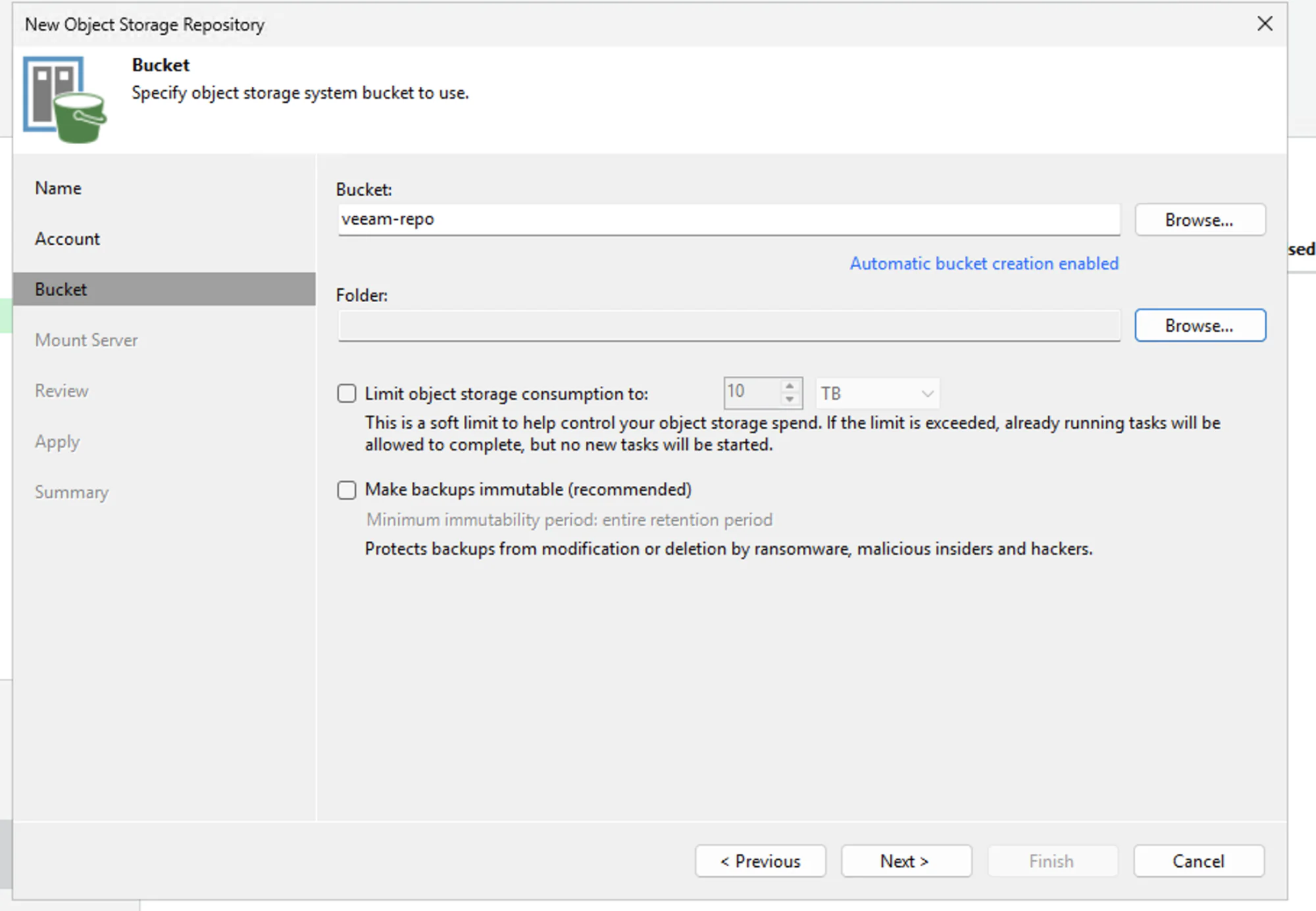
The repository was configured as Direct, but Agent data access also depends on Set Access Permissions → Security. Veeam's default Provided by the backup server uses a gateway or mount server, even when the repository says Direct. Actual direct Agent access requires a compatible IAM/STS workflow or shared repository credentials; sharing credentials exposes them to protected machines and is less secure. The lab record does not identify the Security selection, so it does not prove a gateway-free data path. See Veeam's repository access settings.
The transferring Agent or gateway, as well as VBR, needs network access and certificate trust for the HTTPS endpoint. The self-signed certificate was a lab choice, not a production recommendation. Use a trusted certificate chain, or distribute the issuing private CA's root certificate to the relevant hosts, and keep hostname verification enabled.
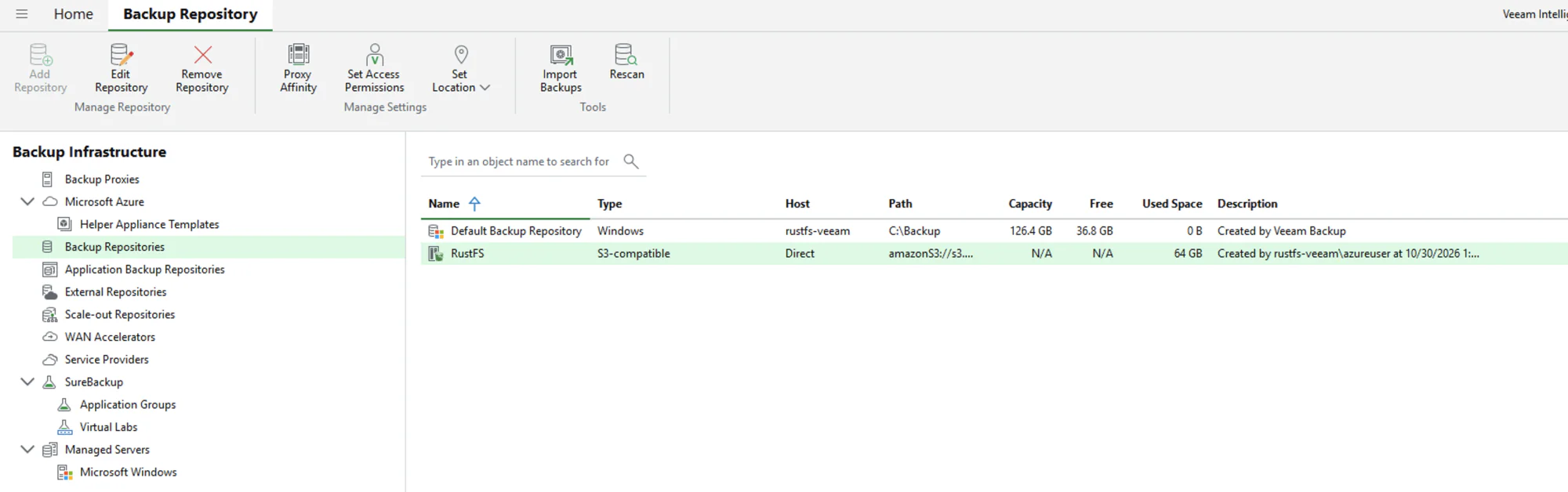
Once added, the repository appeared as S3-compatible. Veeam displayed 64 GB Used Space; this is its usage report, not an independent measurement of RustFS capacity:
The wall we hit: licensing
S3 object storage backup is an enterprise feature of Veeam. In this configuration, Community Edition could add the repository but refused to run the backup job with "Backup to object storage requires a valid Enterprise edition license."
Download the software from the official Veeam download page. For production, purchase a Veeam Enterprise license or another paid license that includes object storage backup. For a proof of concept (POC), request a free 30-day Veeam Data Platform trial license and install it before running the job. Downloading or installing VBR alone does not enable the feature; an evaluation license is not a long-term production license.
Enrollment: agents don't install themselves
The second stumbling block is agent deployment. Creating an Agent Backup Job and adding "localhost" registers the machine but does not install the agent — the job fails with "backup agent is missing." The intended flow is a protection group (Inventory → Physical and Cloud Infrastructure), which push-installs the agent over the admin share.
In this lab, local-account UAC remote filtering also blocked agent installation. Check the hostname, credentials, connectivity, and firewall before attributing an access-denied error to UAC. Use the machine's actual hostname with HOSTNAME\user credentials.
Only for confirmed local-account remote filtering should an administrator consider setting LocalAccountTokenFilterPolicy to 1. This allows elevated remote tokens for local administrators, not just Veeam. Restrict access to a trusted management network, record the previous setting, and restore it when no longer needed while checking that Agent management still works. See Microsoft's UAC remote restrictions. We rebooted when Veeam showed Reboot required.
The numbers
With the plumbing done, we backed up an entire Windows 11 VM (the VBR server itself — agent backup, entire-computer mode) to RustFS:
| Metric | Value |
|---|---|
| Data processed | 87.4 GB (100%) |
| Data read, reported by Veeam | 78.7 GB |
| Data transferred, reported by Veeam | 63 GB (Veeam displayed 1.2x) |
| Objects in the bucket | 81,076 |
| Object-listing total, reported by RustFS CLI | 64.03 GiB |
| Duration | 23 min 15 s |
| Veeam-reported processing rate | 102 MB/s average, 165 MB/s peak |
| Errors / warnings | 0 / 0 |
The processed, transferred, repository-usage, and object-listing values have different scopes and units; they are not interchangeable capacity measurements. The processing rate is a Veeam job metric, not measured RustFS write throughput. This was one run, and Veeam reported the source as the bottleneck.
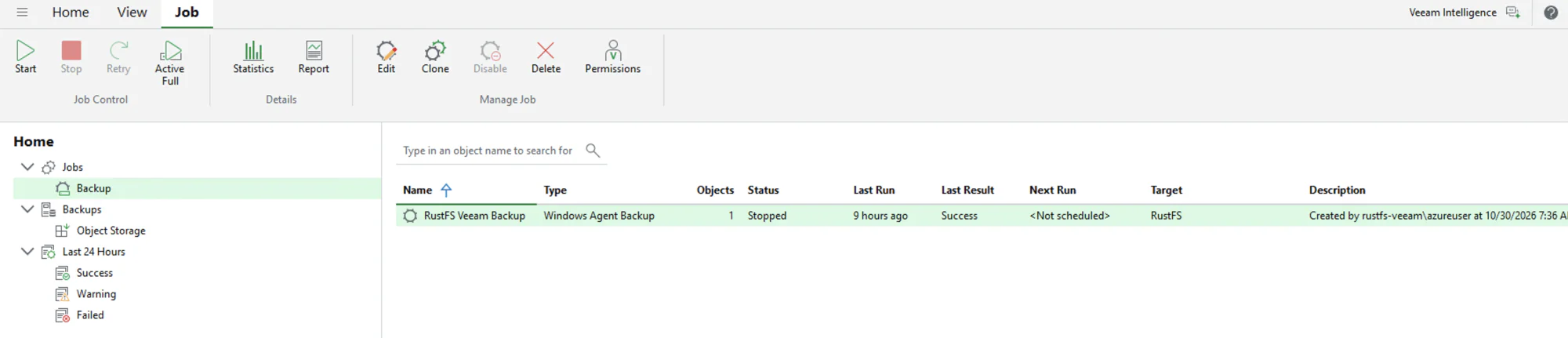
Veeam showed job Success with RustFS as the target. The lab report also recorded a restore point under Backups → Object Storage:
The object listing showed data under Veeam/Backup/veeam/Clients/{agent-id}/…/CloudStg/Data/…, including blocks of roughly 1 MiB. That is an observation from this run, not a fixed block-size guarantee. Successful backup and recovery demonstrate this tested workflow, not complete S3 API coverage. We did not record a per-request trace proving every multipart, retention, or read operation.
Restore: the part that actually matters
Job success alone is not enough. We opened the restore point in Backup Browser, selected a small file, and restored it.
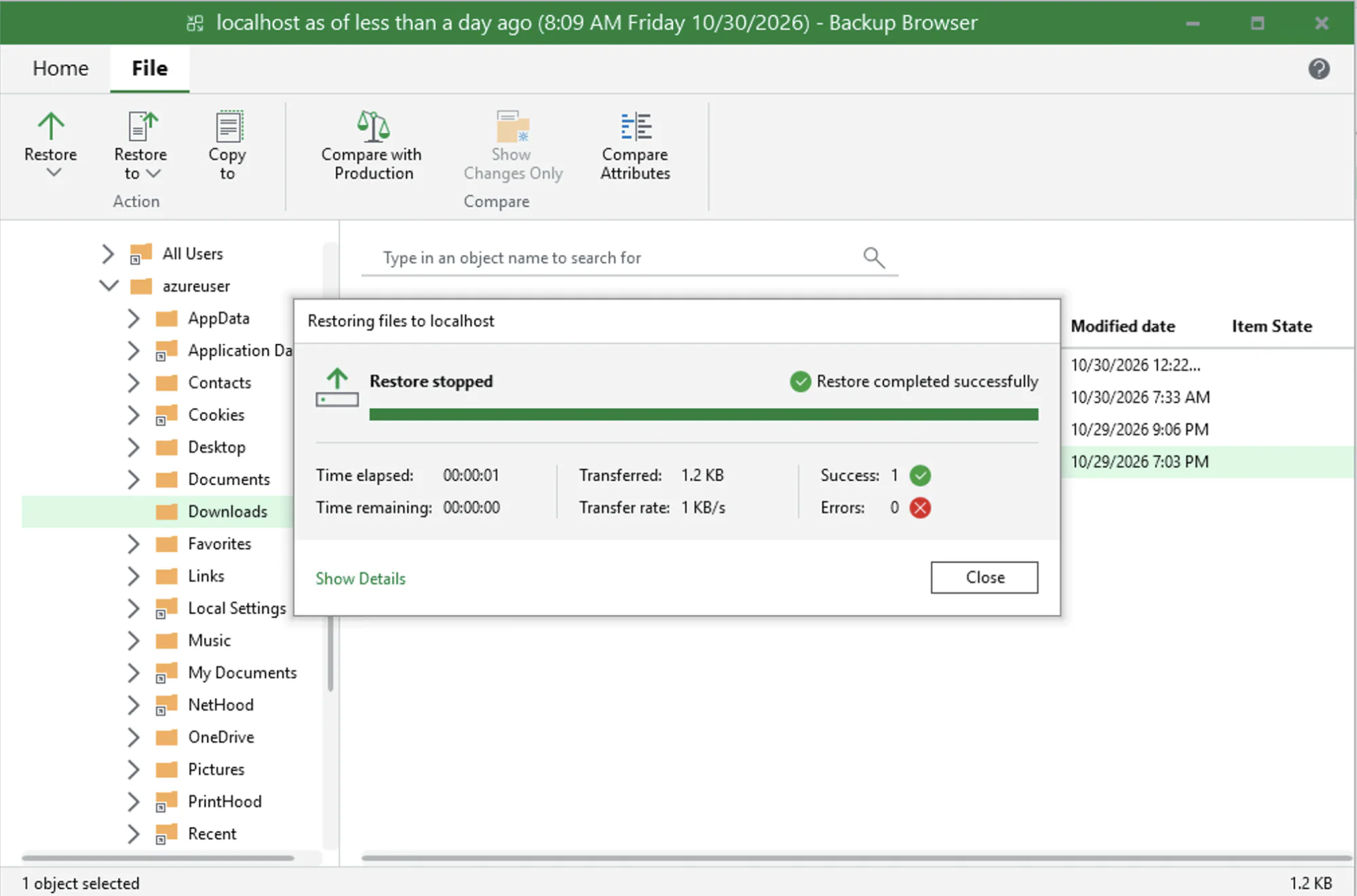
The restore dialog reported Success: 1, Errors: 0, 1.2 KB transferred, and 00:00:01 elapsed. The lab report records checking the recovered file against the original. This validates backup-to-file-recovery for that file; it does not prove all restore points are recoverable or establish the exact S3 requests used.
We did not test bare-metal recovery, other Veeam workloads, retention expiry, or deletion protection. An immutable-backup POC should separately verify retention mode and expiry and confirm that protected versions cannot be deleted during retention using controlled test data. Do not run destructive checks against production backups.
Capacity reporting: merged code, not yet a released result
VBR showed repository capacity as N/A. Veeam's SOSAPI (Smart Object Storage API) allows a storage system to advertise integration capabilities and capacity through two well-known XML resources.
As of October 31, 2026, rustfs/rustfs#9007, tracking rustfs/rustfs#1511, is merged into main. It serves generated system.xml and capacity.xml at the SOSAPI keys. The latest published release, 1.0.4, predates that merge. Validate reporting with a release that includes the implementation; this test did not validate the new capacity display. Backup and the selected file restore succeeded without SOSAPI capacity reporting.
Takeaways
- The tested integration worked. VBR 13.1.2.57 and RustFS 1.0.1 completed a Windows Agent backup and one file restore without backup errors.
- Plan for licensing and access mode. Obtain an eligible production or POC license and validate the actual Agent or gateway path.
- Configure and test immutability separately. Bucket capabilities alone do not prove backup deletion protection.
- Size and operate for production. Follow Veeam's version-specific system requirements, monitor capacity, and schedule recovery tests.
For a production storage design, review RustFS's distributed deployment and erasure-coded resilience; this lab did not test cluster fault tolerance. Keep lifecycle expiration and transition rules off the dedicated Veeam backup bucket and let Veeam manage backup retention.
If you also need remote copies, review bucket and site replication as a separate design decision. This run did not validate replication of a Veeam repository, destination restore, or disaster-recovery failover; replication is not a substitute for backup and recovery testing.
If you are running Veeam and looking for a self-hosted, Rust-powered S3 target for your backup tier, the complete step-by-step guide — including every troubleshooting entry we hit — is in the RustFS documentation.