Laravel Sail Integration with RustFS
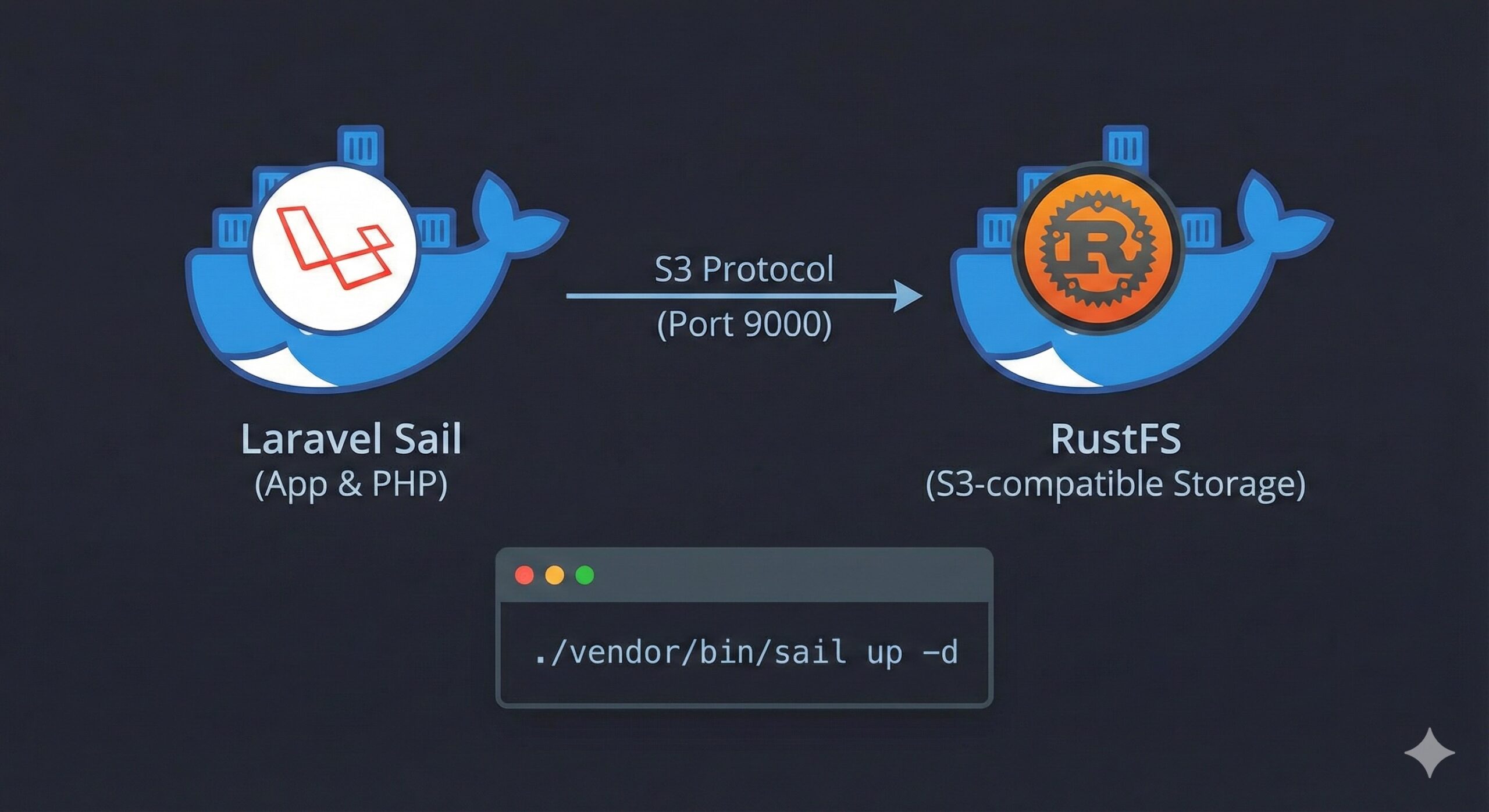
RustFS is a high-performance, S3-compatible object storage system built for modern cloud-native and AI workloads. Laravel, one of the world’s most popular PHP frameworks, supports RustFS natively via Laravel Sail and the Flysystem S3 adapter.
This guide provides a complete, end-to-end integration walkthrough for Laravel + Laravel Sail + RustFS on Ubuntu 24.04.
Laravel Sail added first-class support for RustFS Reference: https://github.com/laravel/sail/pull/822
Architecture Overview
- Laravel Sail runs the Laravel application inside Docker containers
- RustFS provides S3-compatible object storage
- Flysystem S3 Adapter bridges Laravel and RustFS
- Communication uses standard AWS S3 APIs
Prerequisites
- Ubuntu 24.04 LTS
- sudo privileges
- Internet access
1. Install PHP 8.3
1.1 Update System and Install Dependencies
sudo apt update
sudo apt install -y lsb-release ca-certificates apt-transport-https software-properties-common
1.2 Add PHP Repository (Ondřej Surý PPA)
sudo add-apt-repository ppa:ondrej/php
sudo apt update
1.3 Install PHP 8.3 and Required Extensions
sudo apt install -y php8.3 php8.3-cli php8.3-fpm php8.3-mysql php8.3-curl php8.3-mbstring php8.3-xml php8.3-zip php8.3-bcmath php8.3-gd
1.4 Verify Installation
php -v
2. Install Docker Engine
Docker is required for both Laravel Sail and RustFS.
2.1 Remove Conflicting Packages
sudo apt-get remove -y docker.io docker-doc docker-compose docker-compose-v2 podman-docker containerd runc
2.2 Install Docker Repository and GPG Key
sudo apt-get update
sudo apt-get install -y ca-certificates curl

sudo install -m 0755 -d /etc/apt/keyrings
sudo curl -fsSL https://download.docker.com/linux/ubuntu/gpg   -o /etc/apt/keyrings/docker.asc
sudo chmod a+r /etc/apt/keyrings/docker.asc
2.3 Add Docker Repository
echo "deb [arch=$(dpkg --print-architecture) signed-by=/etc/apt/keyrings/docker.asc] https://download.docker.com/linux/ubuntu $(. /etc/os-release && echo "$VERSION_CODENAME") stable" | sudo tee /etc/apt/sources.list.d/docker.list > /dev/null
2.4 Install Docker Engine
sudo apt-get update
sudo apt-get install -y docker-ce docker-ce-cli containerd.io docker-buildx-plugin docker-compose-plugin
2.5 Verify Docker Installation
sudo docker run hello-world
3. Install RustFS (Docker Deployment)
RustFS is deployed as a single-node Docker service for development and testing.
mkdir -p data logs
sudo chown -R 10001:10001 data logs

docker run -d   --name rustfs   -p 9000:9000   -p 9001:9001   -v $(pwd)/data:/data   -v $(pwd)/logs:/logs   rustfs/rustfs:latest
- S3 API Endpoint: http://localhost:9000
- Management Console: http://localhost:9001
- Default Credentials: rustfsadmin / rustfsadmin (unless overridden)
Create a bucket named test-bucket using the RustFS console.
4. Install Composer
php -r "copy('https://getcomposer.org/installer', 'composer-setup.php');"
php composer-setup.php
php -r "unlink('composer-setup.php');"
sudo mv composer.phar /usr/local/bin/composer

composer -V
5. Create Laravel Project with Sail
5.1 Create Laravel Project
composer create-project laravel/laravel rustfs-laravel
cd rustfs-laravel
5.2 Install Laravel Sail
php artisan sail:install
5.3 Start Sail Environment
./vendor/bin/sail up -d
6. Install Flysystem S3 Adapter
Laravel requires the AWS S3 Flysystem adapter to communicate with RustFS.
./vendor/bin/sail composer require league/flysystem-aws-s3-v3
7. Configure Laravel to Use RustFS
Edit the .env file in the project root:
FILESYSTEM_DISK=s3

AWS_ACCESS_KEY_ID=rustfsadmin
AWS_SECRET_ACCESS_KEY=rustfsadmin
AWS_DEFAULT_REGION=us-east-1
AWS_BUCKET=test-bucket

# RustFS S3 API endpoint (Docker bridge on Linux)
AWS_ENDPOINT=http://172.17.0.1:9000

# Required for S3-compatible storage
AWS_USE_PATH_STYLE_ENDPOINT=true
8. Validation Integration (Smoke Test)
This step verifies end-to-end compatibility between Laravel Sail and RustFS, including write, read, existence check, and latency measurement.
Edit routes/web.php and add:
use Illuminate\Support\Facades\Route;
use Illuminate\Support\Facades\Storage;

Route::get('/test-rustfs', function () {
    $fileName = 'rustfs-smoke-test-' . time() . '.txt';
    $content = 'Hello RustFS! This is a Laravel Sail integration test.';

    try {
        // Write object
        $start = microtime(true);
        Storage::disk('s3')->put($fileName, $content);
        $writeLatency = round((microtime(true) - $start) * 1000, 2);

        // Existence check
        $exists = Storage::disk('s3')->exists($fileName);

        // Read object
        $readContent = Storage::disk('s3')->get($fileName);

        return response()->json([
            'status' => 'success',
            'file' => $fileName,
            'exists' => $exists,
            'write_latency_ms' => $writeLatency,
            'content_read' => $readContent,
            'driver_config' => config('filesystems.disks.s3'),
        ]);
    } catch (\Throwable $e) {
        return response()->json([
            'status' => 'error',
            'message' => $e->getMessage(),
        ], 500);
    }
});
Open your browser and visit:
http://localhost/test-rustfs
Expected Result
A successful response confirms:
- Successful S3 authentication
- Object PUT operation
- Object existence check (HEAD)
- Object GET operation
{
  "status": "success"
}
Conclusion
Laravel Sail integrates seamlessly with RustFS using standard S3 APIs. This setup allows PHP developers to adopt RustFS as a high-performance, self-hosted object storage backend with minimal configuration.
For advanced topics such as clustering, TLS, presigned URLs, and production hardening, refer to the official RustFS documentation.